NestedClock, in your pocket
Clock in with a PIN, photo and GPS, check your roster and payslips, request leave, and run your whole team — from your phone. The native app for iPhone, iPad and Android.
Free on every plan Data hosted in Australia
Everything you need, on the go
The app mirrors the web — staff clock in and manage their work life, while owners and managers run the business from anywhere.
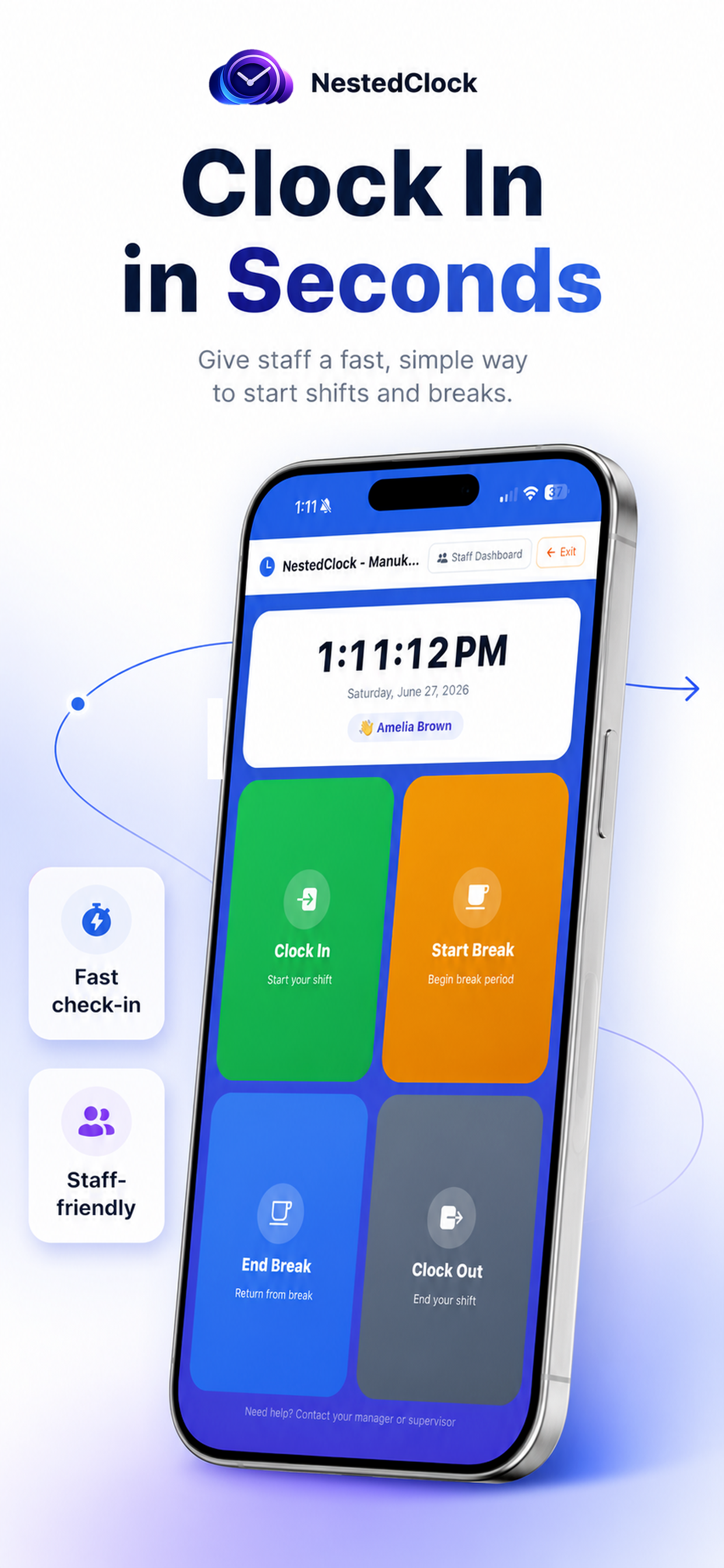
Clock in from your phone
PIN clock in/out and breaks in seconds — no shared tablet needed. Works for staff on the move and across multiple sites.
Photo verification
Optional selfie on each clock event, captured with the phone camera and stored securely against the shift.
GPS location
A location stamp on every clock event so you can confirm staff are on site — with a full, auditable trail.
Roster & timesheet
Staff see their upcoming shifts and their own timesheet, including hours and breaks, anytime.
Payslips & pay
View and download payslips, see pay details, and raise a query — straight from the app.
Leave & shift swaps
Request leave, set availability, and swap shifts with a colleague — all approved through the same workflow as the web.
Push notifications
Instant alerts for published rosters, approved leave, new payslips, swap requests and messages from your manager.
Run your team on the go
Managers and owners get the full dashboard — monitor live attendance, approve leave and swaps, and use the AI assistant from anywhere.
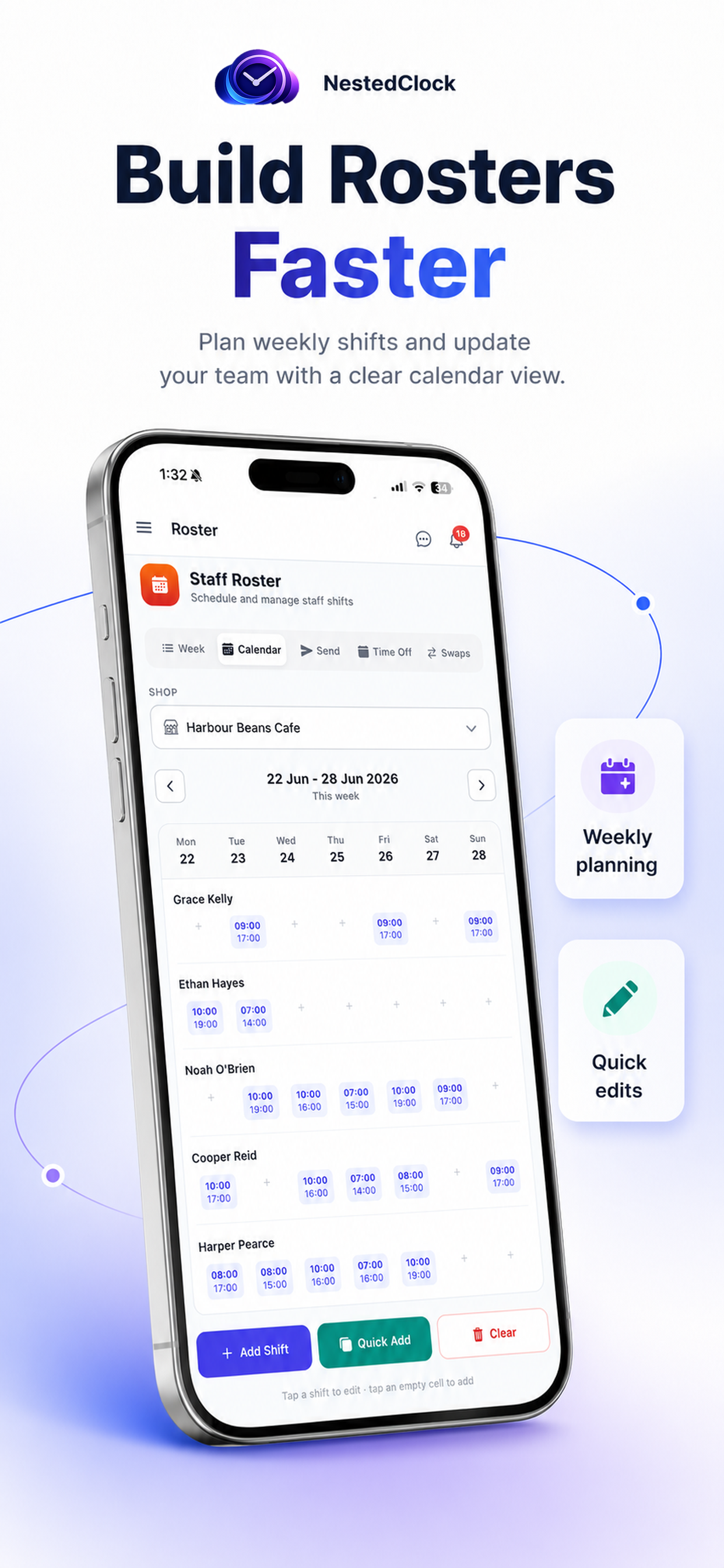
Build next week’s roster in minutes
Add shifts, copy a week, or bulk-add a recurring pattern — then publish and every staff member is notified instantly. Run one shop or seven from the same screen.
- Week & calendar views
- Quick-add recurring shifts
- Time off & shift swaps built in
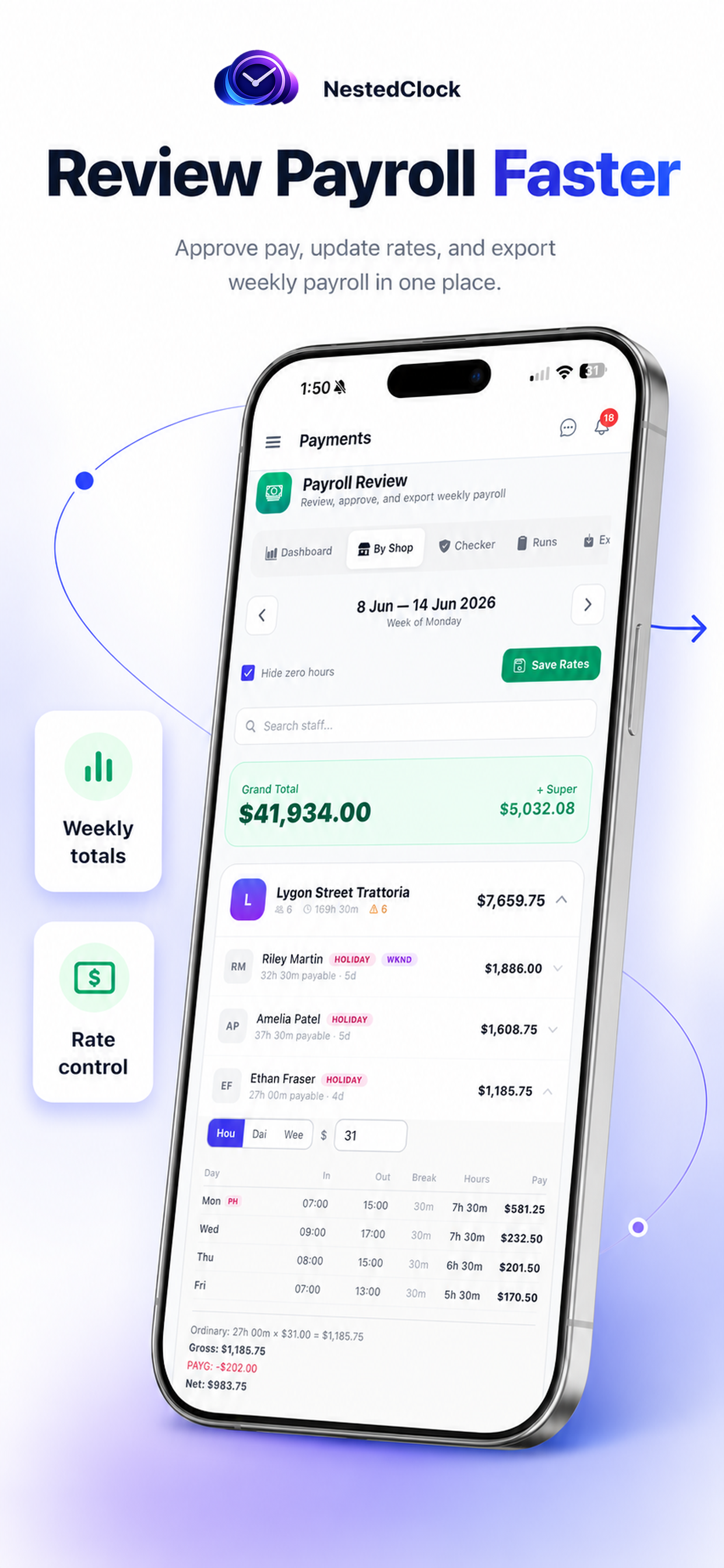
Payroll, reviewed and exported from your phone
Gross pay, hours, super and cost-by-shop are calculated automatically from real clock-ins — including weekend and public-holiday rates. Then export to CSV, PDF payslips, Xero or MYOB.
- Award-style pay rules
- Per-shop cost breakdown
- Xero / MYOB / CSV export
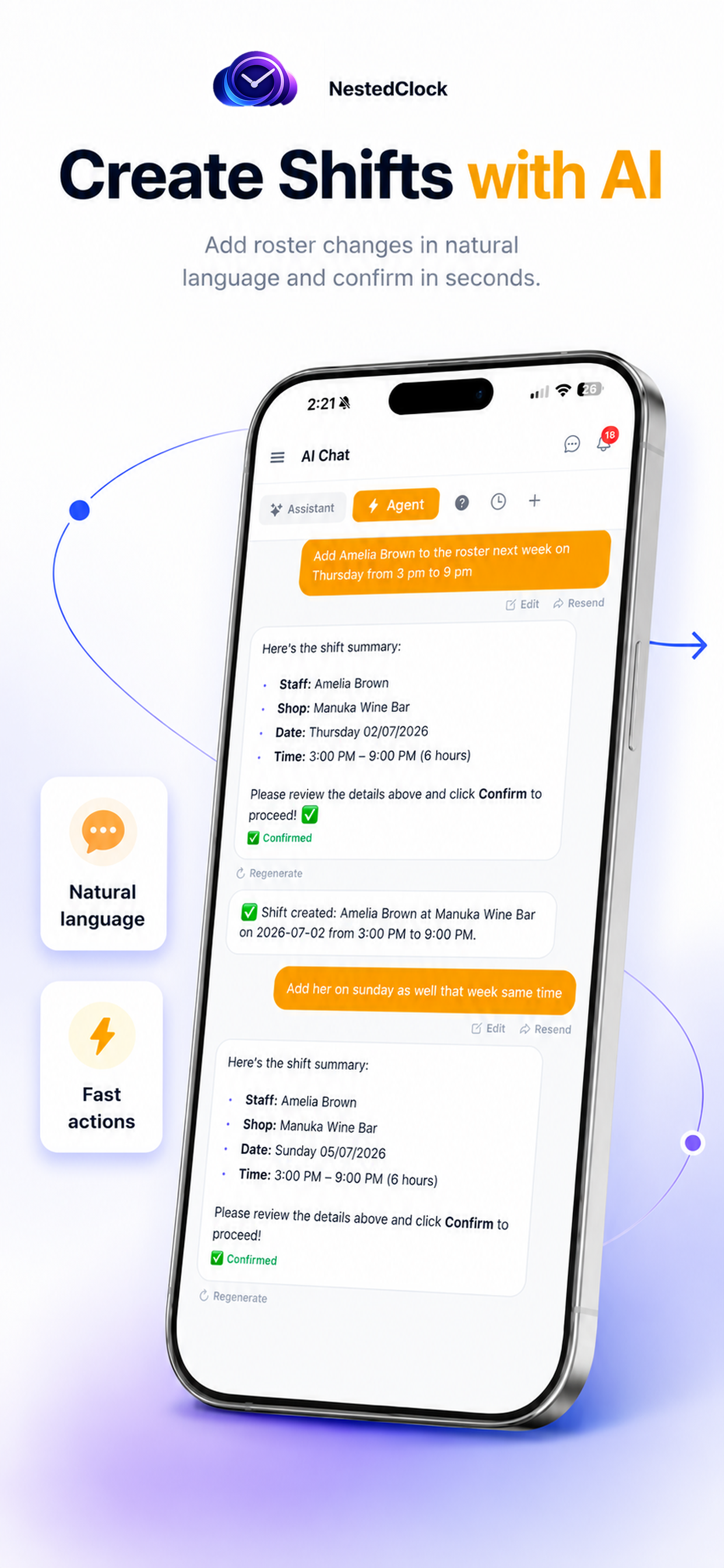
Just ask — the AI does the rest
Ask the Assistant anything about your team, or tell the Agent what to do — “add Charlotte on the 2nd, 5–9pm” — and it drafts the change, shows a summary, and only acts once you confirm.
- Plain-English answers
- Creates shifts & fixes clock-outs
- Always confirms before changing
Every screen, in your pocket
From the kiosk clock-in to live monitoring, payroll and mileage — the whole product, on iOS and Android.
Clock in
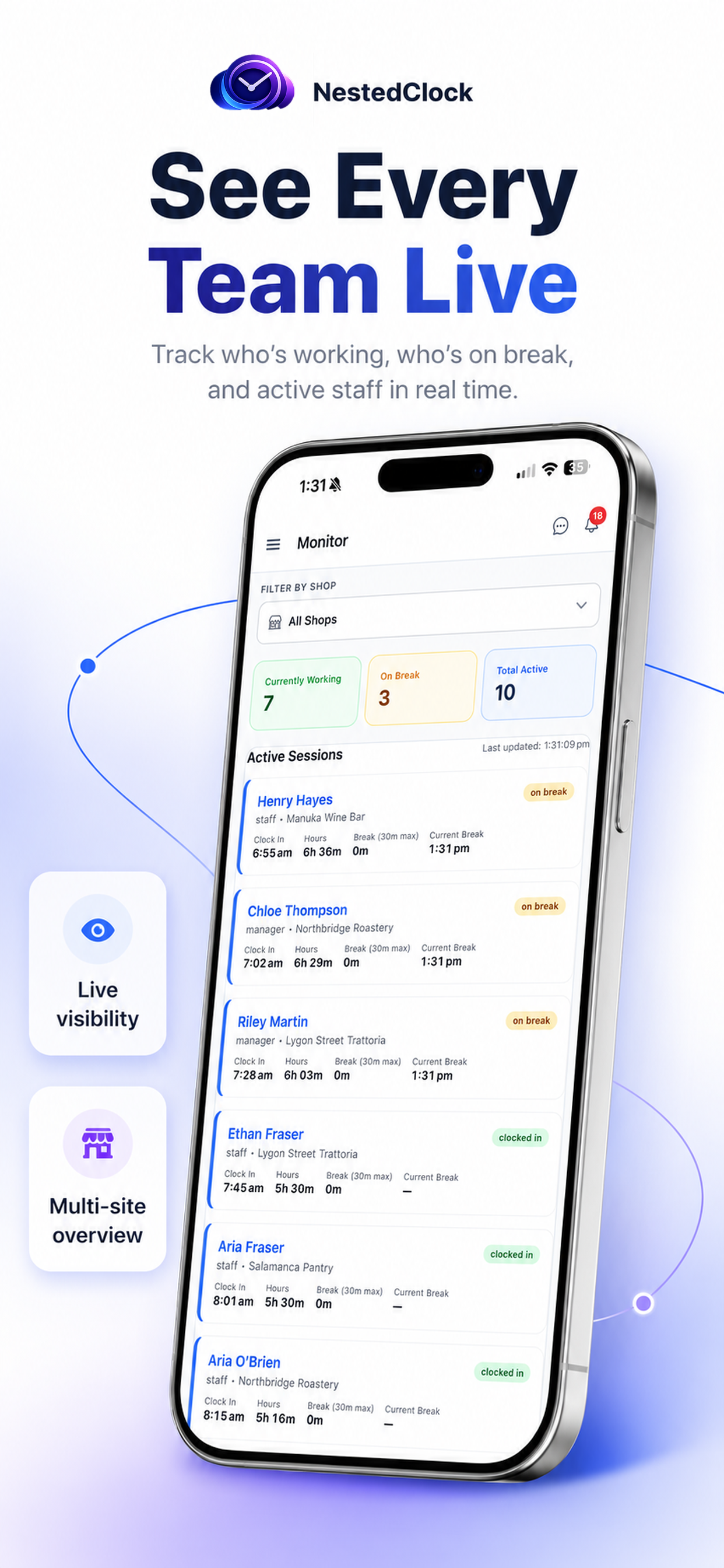
Live attendance
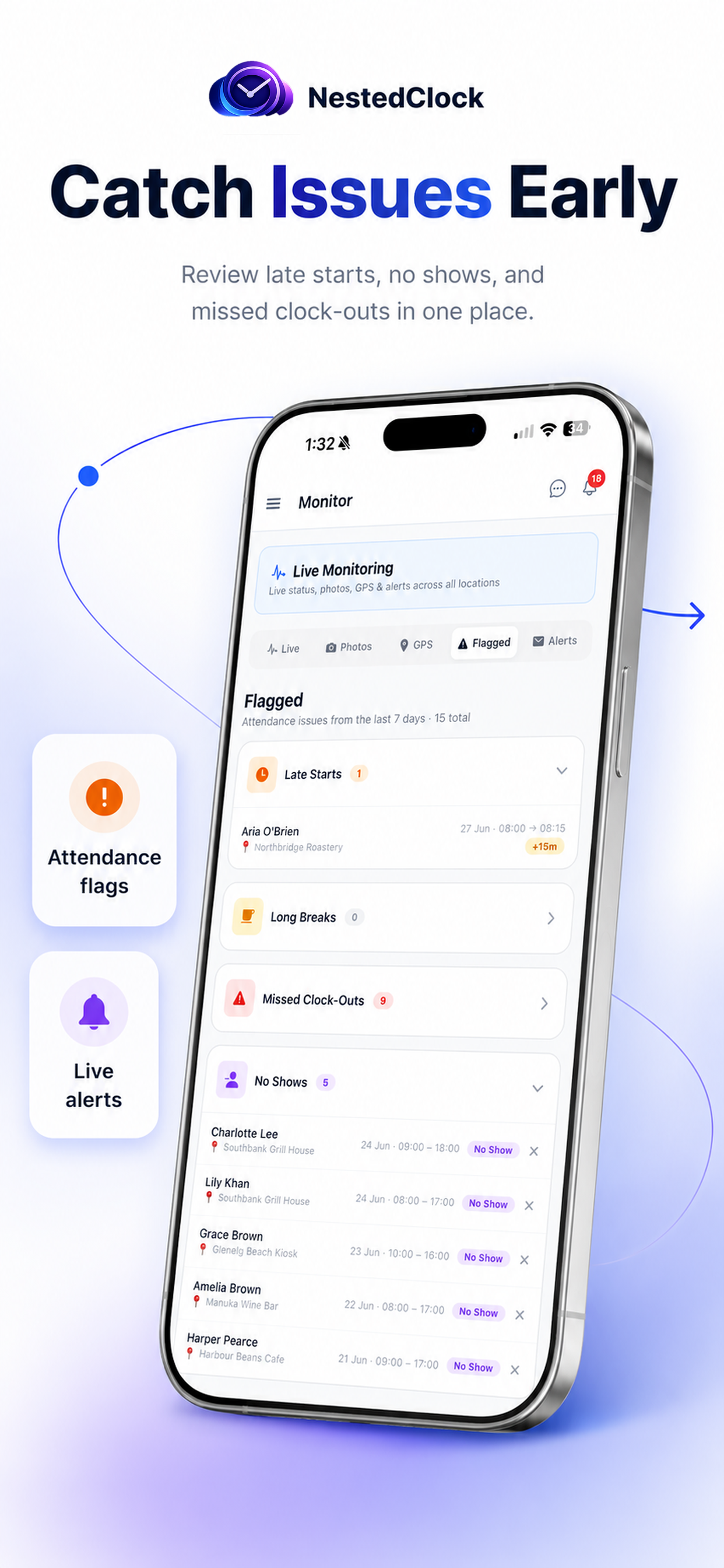
Flagged issues
Staff roster
Payroll review
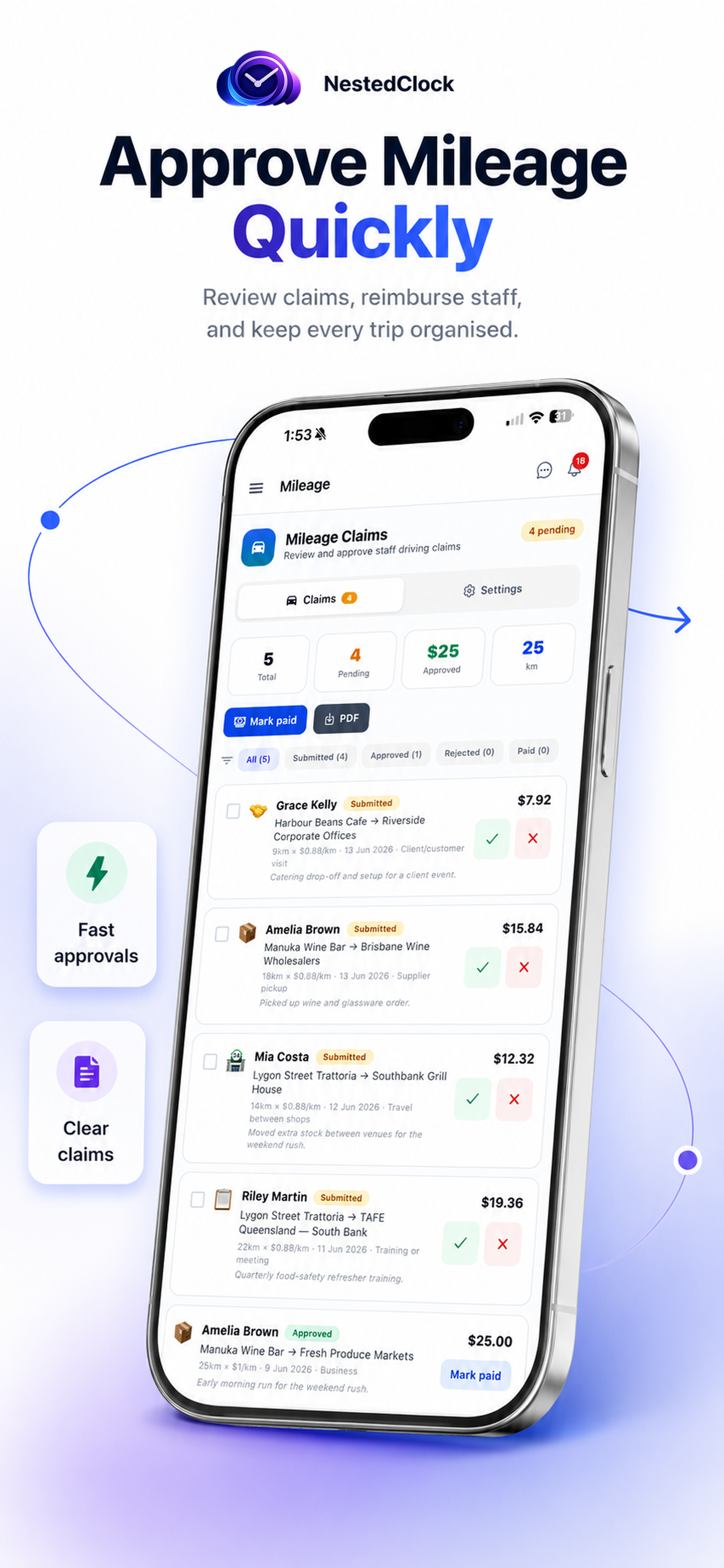
Mileage claims
AI agent
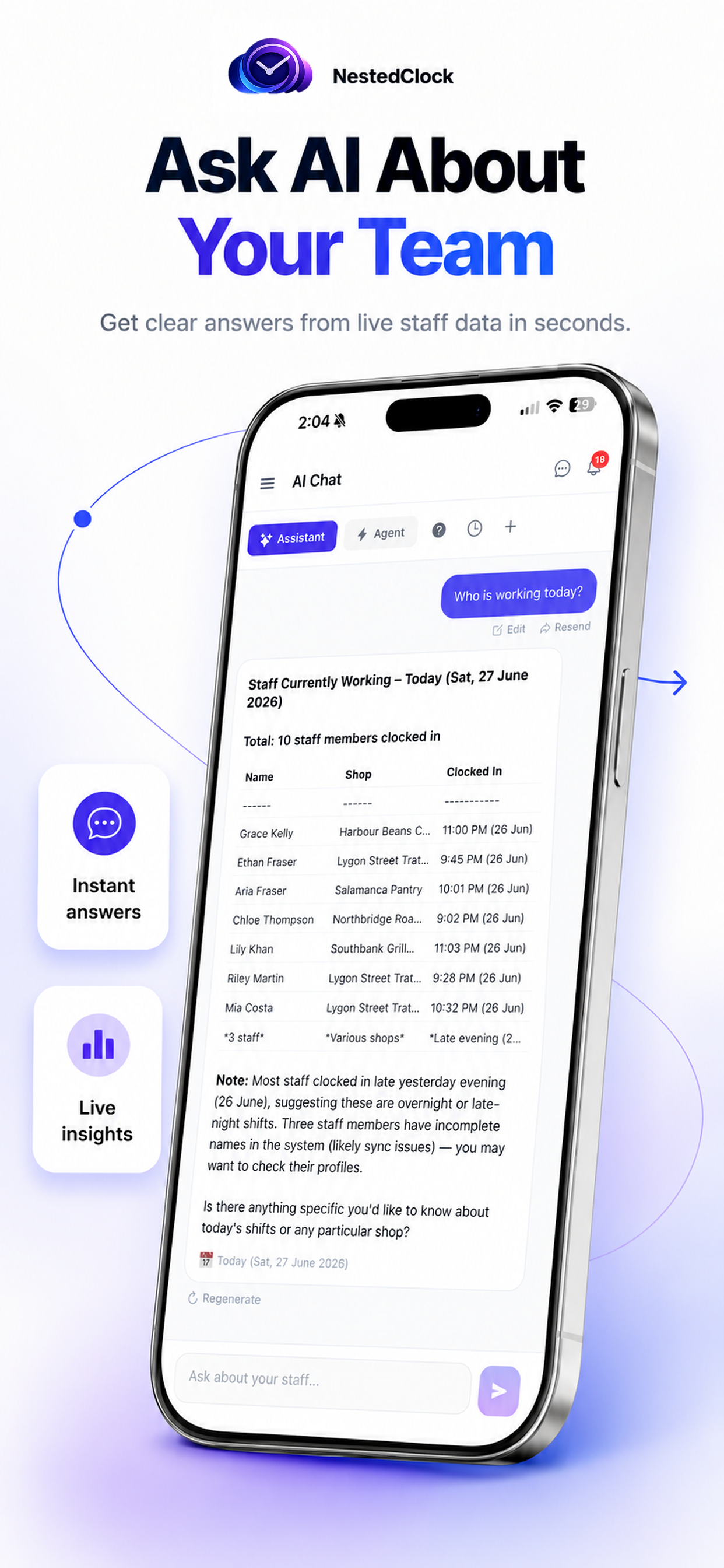
AI assistant
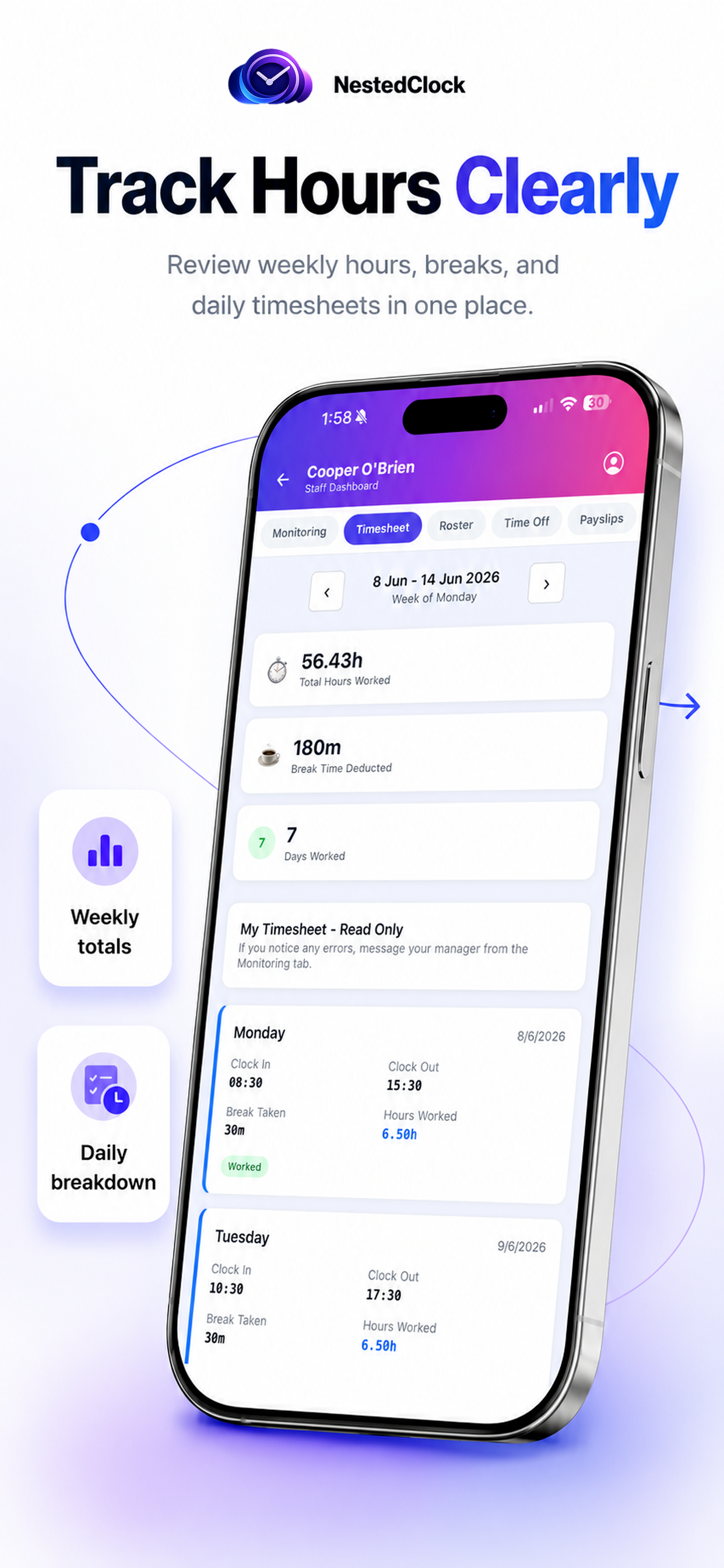
Staff timesheet
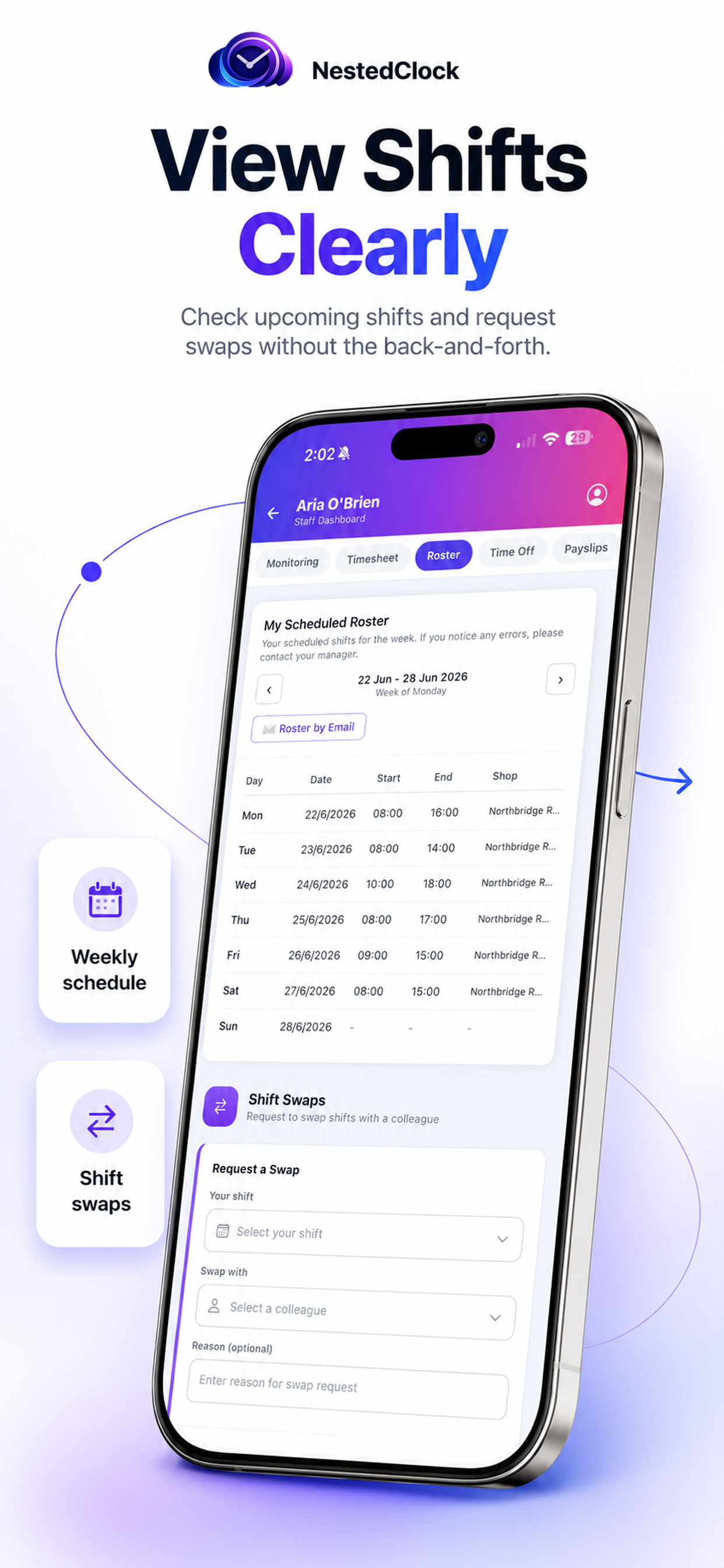
Shift schedule
Swipe to see more →
Native iOS & Android
Built with the same data and rules as the web — nothing to learn twice.
Or use any browser
No app required: the full web app works on any phone, tablet or desktop too.
Included on every plan
The app is free on Free, Starter, Professional and Business — no extra cost.
Get the NestedClock app
Free to download. Sign in with your existing account, or start free on the web in minutes.